Beginner guide · 7 chapters · 2.49h
Claude AI GTM engineering tutorial
A practical 2026 guide to mapping a market, building an outbound campaign, writing cold email, and creating reusable GTM tools with Claude Code.
GTM engineering with Claude AI means using an AI coding agent to build the operational systems behind sales and marketing. Instead of moving data between tools by hand, a GTM engineer can ask Claude Code to research accounts, call APIs, clean a CSV, score leads, generate campaign variables, or build a small internal application.
The beginner mistake is to treat Claude like a magic employee. It is better to treat it like a capable builder that needs a good brief. You define the business problem, the data, the rules, and what “done” means. Claude helps with the technical implementation. You review the result and decide whether it is safe to use.
I have trained more than 900 students in GTM engineering and built systems for startups worth more than $50 million. The best projects are rarely the most complicated. They solve a specific revenue problem, make the data easier to trust, and leave a process that the team can run again.
This Claude AI GTM engineering tutorial is built for founders, growth operators, RevOps teams, SDR leaders, and aspiring GTM engineers who want a practical way to use Claude Code for real revenue workflows. If you want reusable prompts and operating systems after the tutorial, explore the GTM skills library, the GTM engineering playbooks, or the GTME training program.
The short version
Start with one clear workflow. Give Claude the context it needs. Test on a small sample. Keep a human review step. Turn the process into a reusable Skill only after it works.
What is GTM engineering?
GTM engineering sits between revenue operations and software engineering. RevOps usually designs the process and governance. The GTM engineer builds the working system: the enrichment logic, automation, scripts, data models, quality checks, and integrations that make the process run.
The role can cover account sourcing, inbound enrichment, CRM hygiene, signal-based outbound, lead scoring, campaign operations, and reporting. The exact tools change. The job stays the same: turn a revenue idea into a reliable technical workflow.
Claude Code lowers the barrier because you can describe the system in normal language. It can read the project, inspect documentation, edit several files, run a script, and respond to errors. You do not need to become a full-time software engineer before you begin. You do need to understand the business rules and check the work.
Claude Code versus a manual GTM workflow
| Task | Manual workflow | Claude-assisted workflow |
|---|---|---|
| Account research | Open each website and copy notes | Collect evidence into structured fields, then review exceptions |
| Lead qualification | Apply criteria from memory | Use written rules and return a reason for each decision |
| Data cleanup | Fix cells and duplicates by hand | Run repeatable cleanup logic with validation checks |
| Personalization | Research and draft one prospect at a time | Generate a researched angle within strict copy rules |
| Maintenance | Remember how the process worked | Save instructions, scripts, and examples inside the project |
1. Claude cheat sheet and GTM tech stack
A useful Claude Code setup starts with context. Create a project folder for the workflow. Add a short file that explains the objective, the ideal customer profile, the fields in your data, the tools you use, and the rules Claude must follow. Include a small example of a correct output. Examples remove more ambiguity than another paragraph of instructions.
Your first prompt should name the input and output. “Research these companies” is weak. “Read accounts.csv, visit each company website, classify whether it sells B2B software, cite the page that supports the decision, and save the results to qualified-accounts.csv” is much easier to test.
A simple prompt structure
- Context: explain the business, ICP, offer, and reason for the task.
- Input: name the file, columns, source, or system Claude should use.
- Rules: define qualification logic, exclusions, and required evidence.
- Output: specify the exact fields and file format you want.
- Checks: tell Claude how to verify accuracy and report uncertainty.
A practical stack may include Claude Code, GitHub, a CRM, an enrichment platform, and outbound tools. Model Context Protocol, usually called MCP, lets Claude connect to external tools and data sources through a common interface. You do not need every integration on day one. Start with the smallest stack that can complete the workflow and keep the output easy to inspect.
2. TAM mapping with Claude
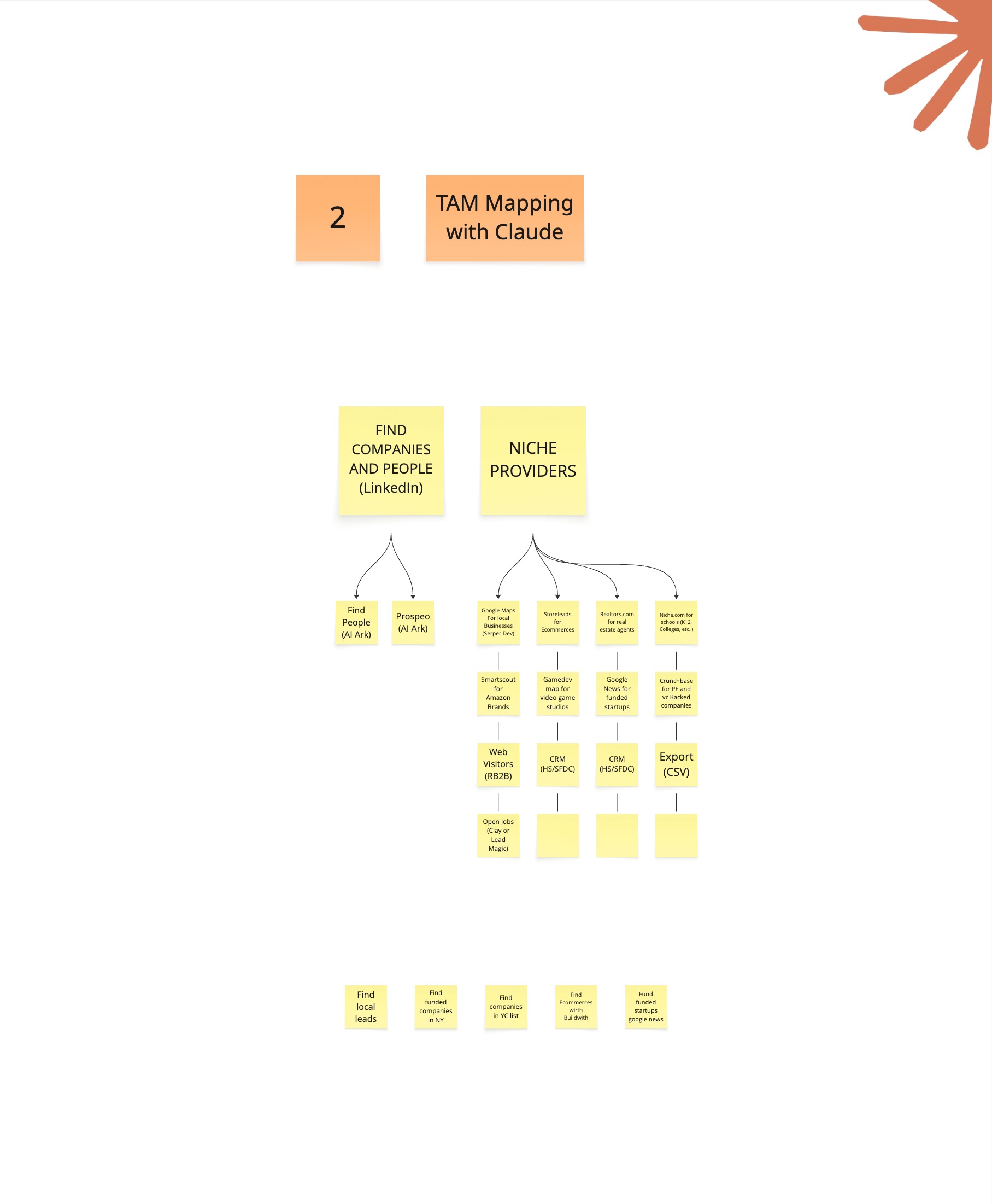
TAM means total addressable market: the set of companies that could realistically buy what you sell. Mapping the TAM starts by turning a loose ICP into searchable account criteria. Useful criteria include geography, employee count, business model, customer type, industry, technology, and signs that the company has the problem you solve.
Ask Claude to separate hard filters from soft signals. A hard filter is a condition that usually disqualifies the account, such as the wrong country or business model. A soft signal changes priority without automatically excluding the company, such as recent hiring or a new product launch.
Claude can then help plan the sourcing strategy. A local-business TAM may begin with Google Maps. A software TAM may come from company databases, technology sources, job posts, news, or industry directories. The source should match the market. Do not pay for a large people database when the account universe can be built from a focused public directory.
Keep the first pass broad enough to find edge cases. Save the source URL and evidence beside every account. Evidence gives you something to audit later and makes it easier to change the qualification logic without repeating all the research.
3. Refining the TAM with Claude
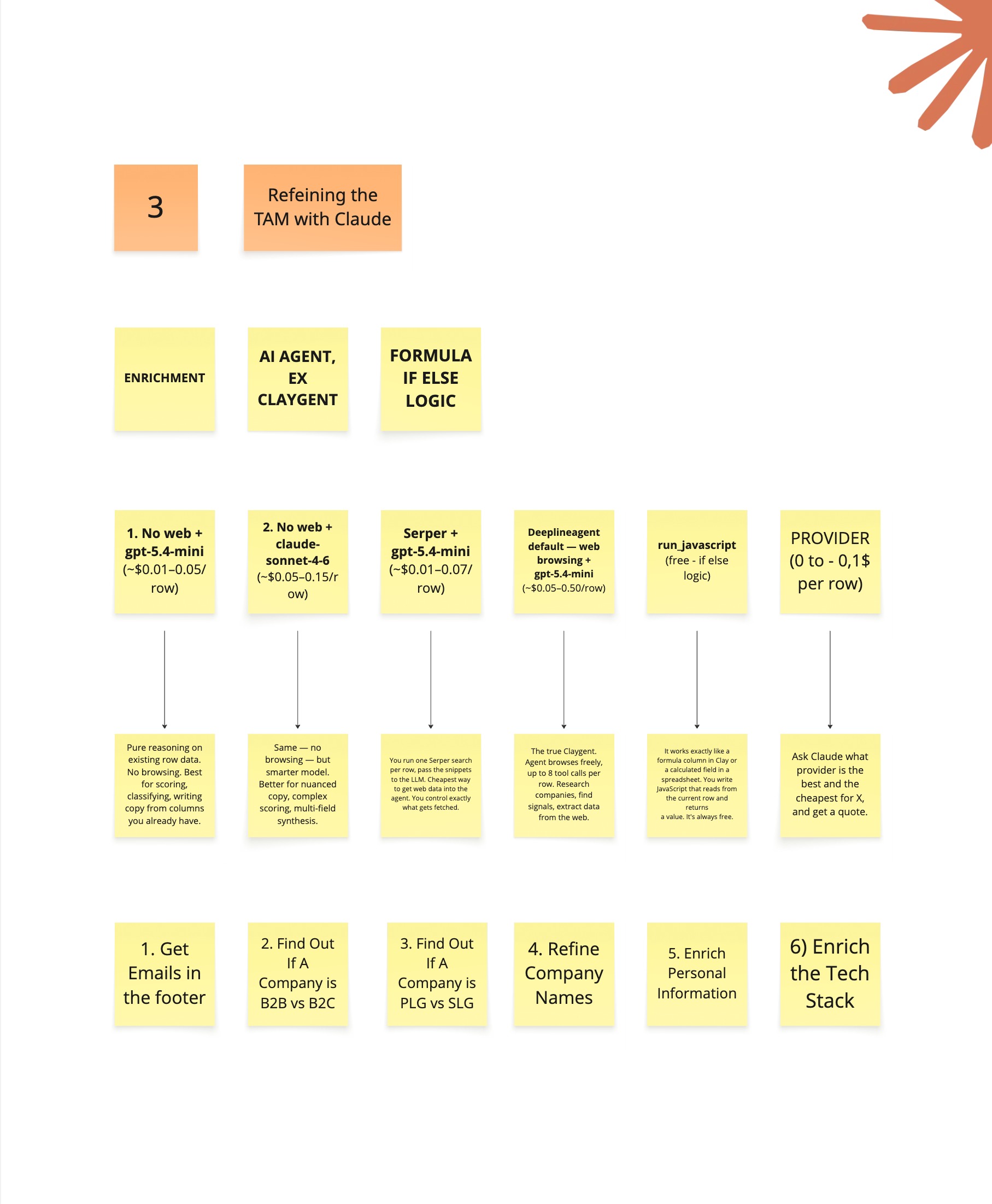
The first TAM is a hypothesis, not a finished list. Refinement removes duplicates, normalizes company names and domains, fills missing fields, and checks whether each account matches the written ICP. This is where most of the quality work happens.
Give Claude a classification rubric with examples of good, bad, and uncertain accounts. Ask for a decision, a confidence level, and a short reason. If the evidence is weak, the result should say “needs review” instead of guessing. That extra state prevents false confidence from becoming campaign data.
Next, segment the qualified accounts. You might group them by industry, use case, company size, maturity, or buying signal. Segmentation should change something downstream. If two segments receive the same offer, message, and sales motion, the distinction may not be useful.
Run a 20-row pilot before scaling the workflow. Review the false positives and false negatives. Update the rules, then test again. Claude makes iteration fast, but speed only helps when you inspect the errors and improve the written logic.
4. Launching a campaign from zero to one
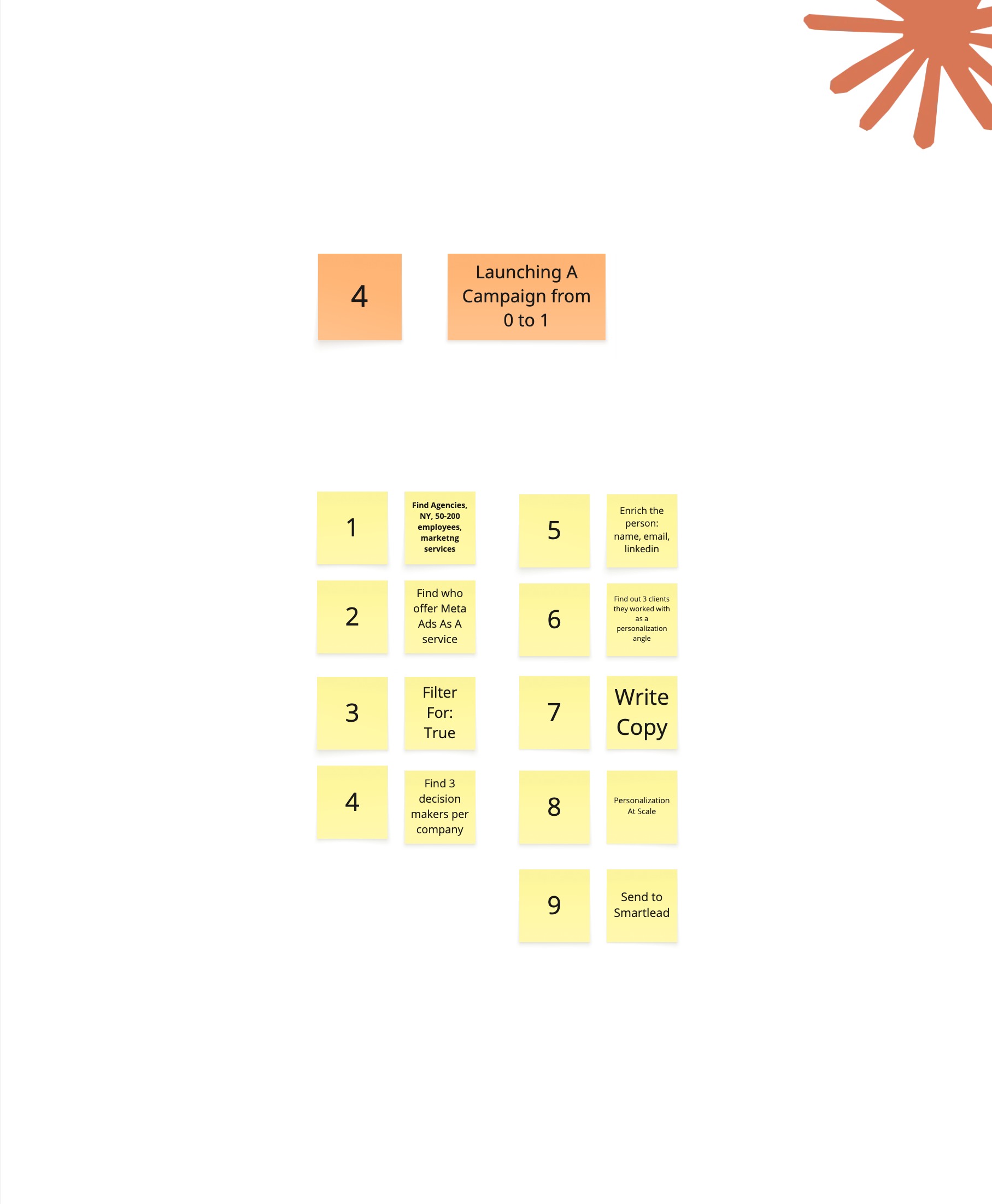
Once the accounts are qualified, define the people you need to reach. Start with function, responsibility, and seniority rather than one exact title. Real companies use different titles for similar jobs. Claude can generate likely title variations and exclude roles that look similar but do not own the problem.
Contact enrichment should follow a waterfall. Try the most reliable or cost-effective provider first, then use fallbacks only when data is missing. Validate work emails before sending. Keep the source and verification status in separate fields so the campaign team knows what is safe to use.
Before upload, standardize names, domains, job titles, and campaign variables. Remove duplicates across current campaigns and the CRM. Check suppression lists. Review a sample of the final records exactly as they will appear in the sending tool.
The minimum launch checklist
- Every account passes the ICP rules and has supporting evidence.
- Each contact has a relevant role and current company.
- Email addresses are verified and deduplicated.
- Personalization variables are factual, short, and readable.
- The campaign has a clear audience, offer, and reply destination.
- A human has reviewed the final sample before launch.
5. Writing cold email copy with Claude
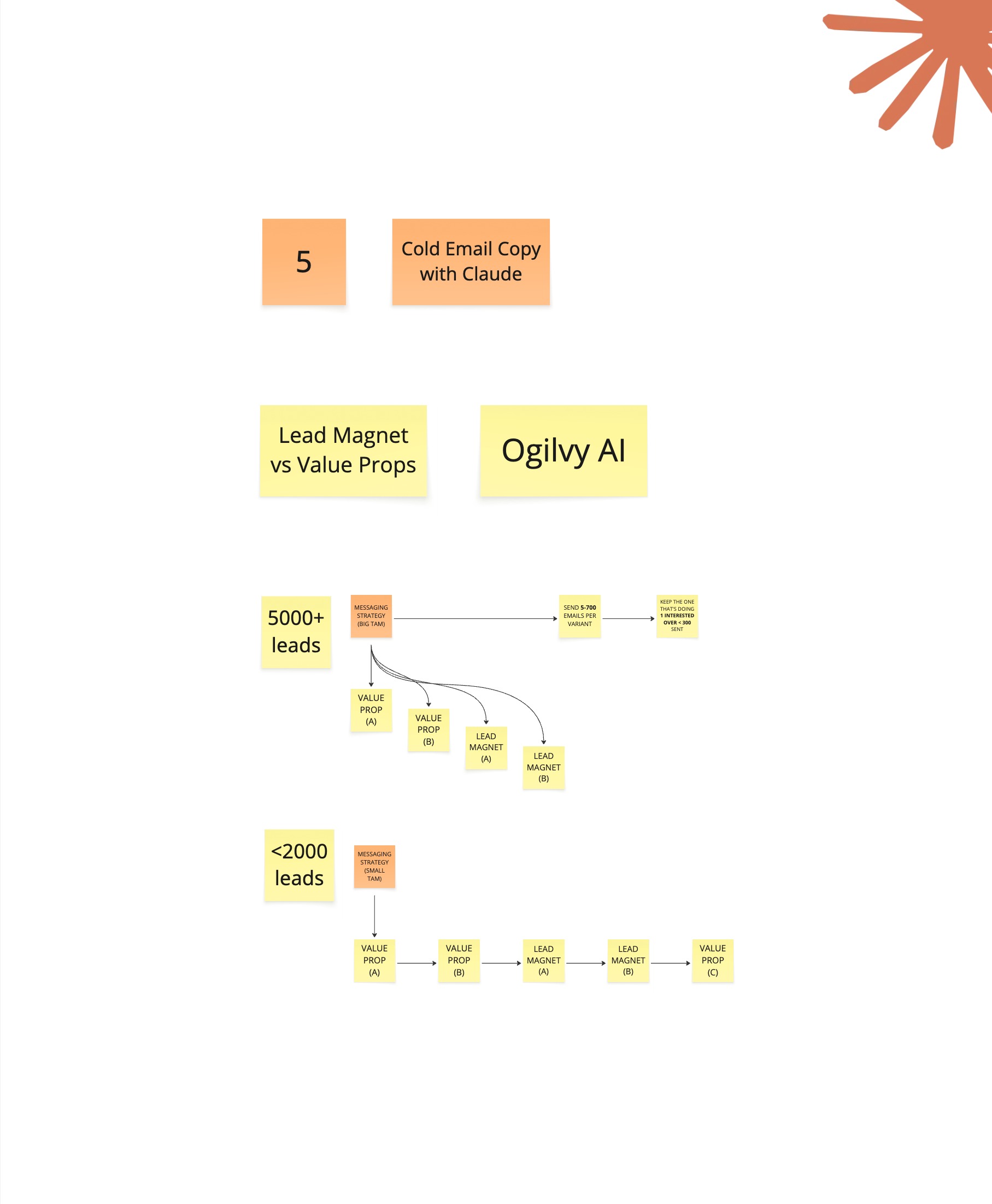
Claude writes better cold email when the research and strategy are already clear. Give it the audience, problem, offer, proof, call to action, and a few examples of your real voice. Set limits on word count and claims. Tell it what language you never use.
Personalization is not a collection of facts. It is one relevant reason for contacting the person. A hiring plan, product change, technology, customer type, or recent initiative can provide that reason. The message should connect the signal to a plausible problem and then to the offer. If the bridge is weak, more personalization will not fix it.
Use Claude as an editor as well as a writer. Ask it to flag generic openings, unsupported claims, long sentences, unnecessary adjectives, and calls to action that demand too much. Compare every draft with the same rubric. This makes quality measurable and stops the copy from drifting as the campaign grows.
Micro-relevance beats mass personalization. The best scalable message often comes from a precise segment with a shared problem, not a unique paragraph for every prospect. Use AI to find the right context and enforce the writing rules. Do not use it to manufacture fake familiarity.
6. Turning a working process into a Claude Skill
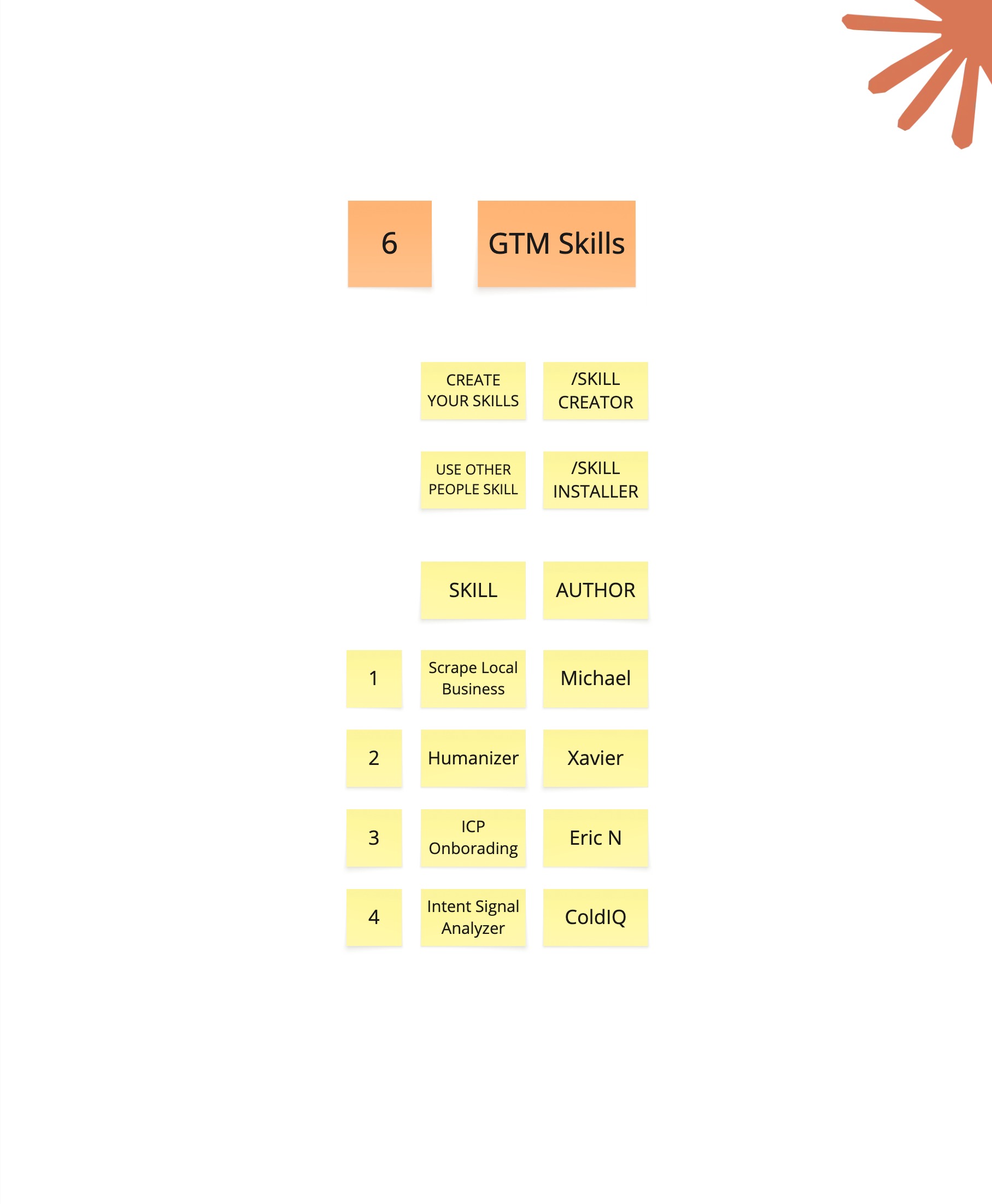
A Claude Skill is a reusable package of instructions and resources for a specific job. It can include a process, scripts, templates, examples, provider notes, validation rules, and output requirements. Skills help Claude repeat a workflow without depending on a giant prompt copied from an old document.
Build the workflow manually with Claude first. Watch where it becomes confused, which data sources fail, and what you repeatedly correct. Those observations become the Skill. A useful Skill explains when it should run, which inputs it requires, how to handle fallbacks, and how to verify the result.
Keep the Skill narrow. “Run all of marketing” is not a useful boundary. “Qualify B2B SaaS accounts from a CSV using our ICP rubric and return evidence” is specific enough to test. Version the Skill with the project so changes to instructions and scripts stay together.
Skills are where GTM engineering starts to compound. One successful account-research project becomes a repeatable account-research capability. The next operator can run it with the same rules, and the team can improve the shared process instead of rebuilding it.
7. Building custom scrapers and GTM projects
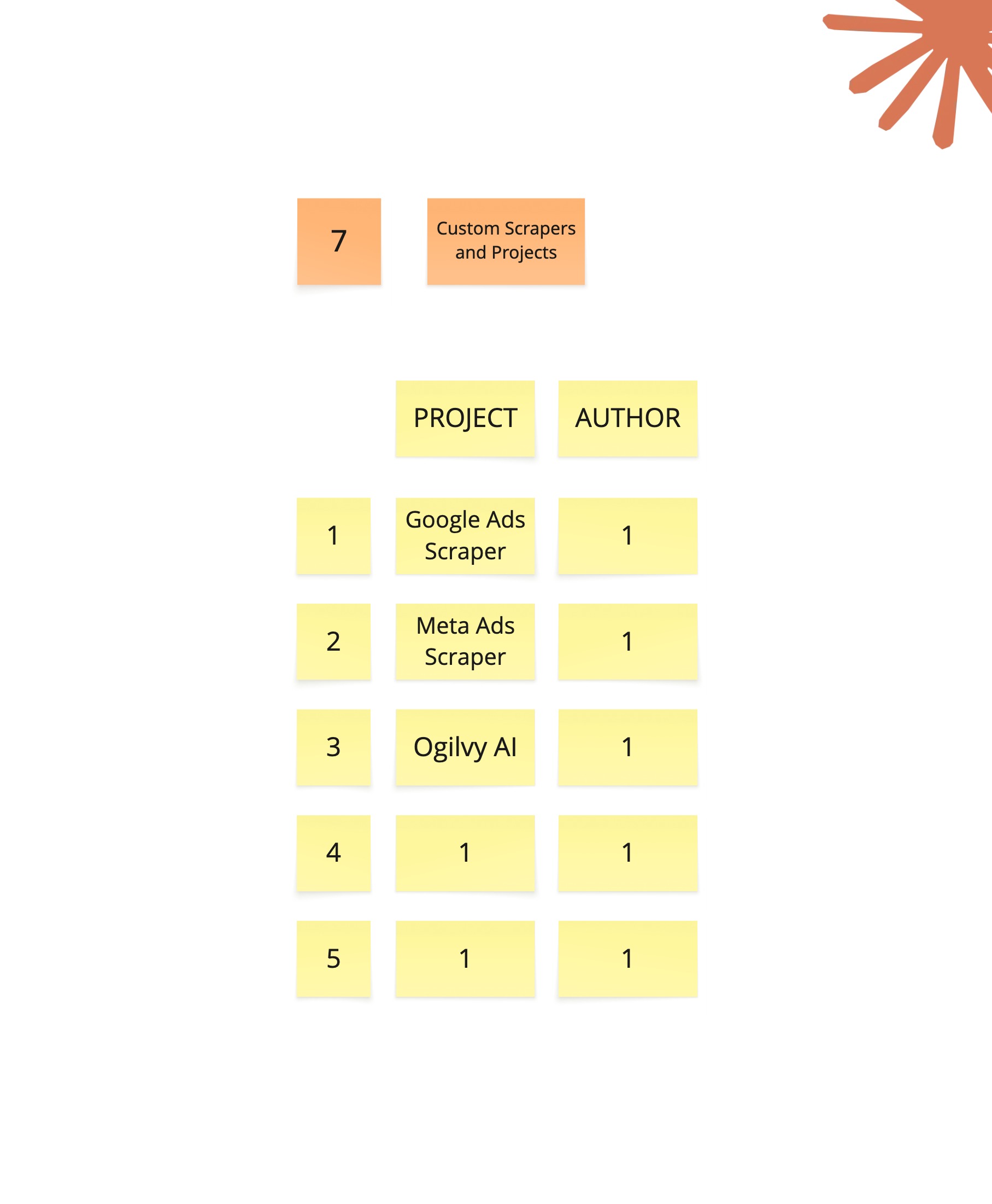
Custom projects make sense when the workflow is specific, repeated, and poorly served by an existing tool. A scraper can collect companies from a niche directory. A research utility can turn account websites into structured facts. A CRM script can find duplicates or flag contacts who changed jobs.
Start with a written specification. Name the source, fields, output format, expected volume, and conditions that should stop the run. Ask Claude to build the smallest working version before adding a dashboard or more providers. A command-line script that produces a clean CSV is often enough to prove the value.
Scrapers require extra care. Respect the source’s terms and rate limits. Handle missing fields, page changes, pagination, duplicate records, and retries. Save error logs and source URLs. Test the first and last page, not only the easy records in the middle.
The finished tool should be boring to run. Clear inputs. Predictable output. Useful error messages. A short README. That is more valuable than a clever prototype that only works while its creator is watching.
A beginner workflow you can copy
- Pick one repeated task. Choose work that already has a manual process and a clear owner.
- Write the acceptance criteria. Define the required fields, decision rules, and acceptable error rate.
- Prepare a small test set. Include normal records and difficult edge cases.
- Give Claude the context. Add the ICP, definitions, examples, constraints, and documentation.
- Build a narrow first version. One input, one process, one output.
- Review every result. Record why errors happened and update the rules.
- Scale gradually. Increase the batch size only after the pilot is reliable.
- Package what works. Save the process as a Skill or documented project.
Common mistakes when using Claude for GTM engineering
Starting with the tool instead of the problem
A new integration does not create a useful workflow. Begin with a revenue problem, a user, and a measurable output. Add tools only when the process requires them.
Scaling before checking quality
A bad rule applied to 10,000 records creates a larger cleanup job. Test on a small sample and inspect the actual evidence behind each classification.
Letting the model invent missing data
Every research workflow needs an explicit “not found” or “uncertain” state. Missing information is safer than a confident guess inside a CRM or campaign.
Automating the final decision too early
Keep human approval around high-impact actions such as sending campaigns, overwriting CRM records, changing permissions, or purchasing data. Remove review steps only when the risk and error patterns are understood.
Frequently asked questions
What is GTM engineering?
GTM engineering is the practice of building technical systems for sales and marketing. It combines revenue strategy, data operations, automation, and software skills to solve problems such as account sourcing, enrichment, scoring, CRM hygiene, and outbound execution.
Do I need to know how to code before using Claude Code?
No. You can begin with natural-language instructions and learn the technical concepts as you build. You still need to define the business problem, inspect the output, and test the result. Basic knowledge of files, tables, APIs, and data types becomes useful quickly.
What can Claude Code automate for a GTM team?
Claude Code can help build account research workflows, enrichment pipelines, lead scoring systems, CRM cleanup scripts, email-personalization processes, data scrapers, and internal tools. It can also read documentation, modify files, run scripts, and test its work.
What is the difference between Claude chat and Claude Code?
Claude chat is mainly a conversational interface. Claude Code works directly with project files and tools. It can inspect a folder, create or edit code, run commands, and continue working across a multi-step project rather than returning only a written answer.
What should a beginner build first?
Start with one small workflow that has a clear input and output. A good first project is a CSV cleaner, account classifier, or company research tool. Keep a manual review step until you understand the data and common failure cases.
Key takeaways
- GTM engineering turns sales and marketing ideas into working technical systems.
- Claude Code can build workflows, but you still own the business rules and quality checks.
- Clear context, examples, and acceptance criteria matter more than a clever prompt.
- Build a 20-row pilot before running a large account or contact dataset.
- Use evidence and an “uncertain” state to prevent invented data from entering the workflow.
- Package a process as a Claude Skill only after the underlying workflow works.
- The best first project has one input, one repeated decision, and one reviewable output.
Ready to Level Up Your GTM?
For B2B companies looking to build and scale your GTM engineering function Book a call with Michael
Want to become a GTM Engineer Consultant? Check out our training program Learn more